


 Deutsch
 English
 Italiano


















Material Finder: the right material for 3D printing and manufacturing
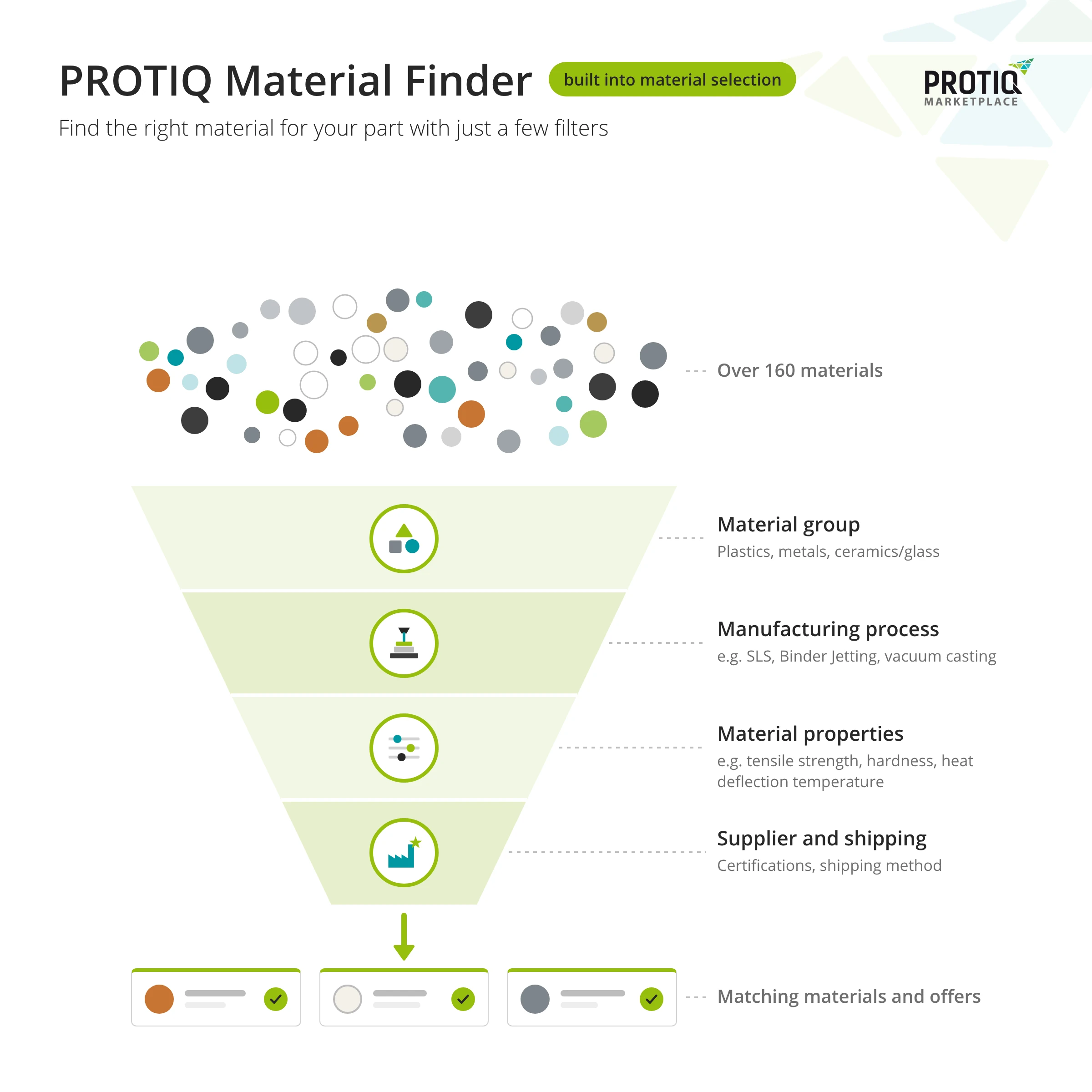
The Material Finder is the filter function in the material selection of the PROTIQ configurator. After uploading your part, you narrow down the materials by material group, manufacturing process, technical properties and supplier and compare the matching offers directly in the configurator.
This lets you make a preselection without having to check every data sheet individually. The results list shows the available offers for each material with price, production time and supplier ratings. No file to hand yet? On the home page you can try out the Material Finder with a demo component.
Material Finder at a glance
- Where
- in the configurator, in the material selection step
- Offering
- over 160 materials and over 12 processes
- Filters
- material, process, mechanical, thermal and electrical properties, surface, certifications, supplier, shipping
- Result
- matching materials with offers, prices and production times
- Use
- without logging in, also with a demo component
How it works
How does the Material Finder work?
The Material Finder is not a separate tool but part of the material selection in the configurator. Four steps take you from your part to the right offer.
- Upload your partUpload your 3D file in the configurator or start on the home page with the demo component. The system automatically checks whether the part fits into the build space.
- Open the material selectionClick “Select material” for your part and choose a material group: plastics, metals or ceramics/glass.
- Set filtersNarrow down the list with the filters, for example by manufacturing process, tensile strength or heat deflection temperature. The number of materials available for your selection is shown.
- Compare offersExpand a material to see the suppliers’ offers. Select an offer for your part, then continue to your order with “Add to shopping cart”.
 Enlarge
 Enlarge
Filters
Which properties can I filter by?
In addition to material group and manufacturing process, the Material Finder offers filters for technical properties, surface and appearance, certifications, supplier and shipping. For many properties you set a limit, such as a minimum tensile strength or a maximum permissible roughness Ra.
| Filter group | Filters (selection) |
|---|---|
| Material group | plastics, metals, ceramics/glass |
| Process group | additive, subtractive (e.g. milling) and formative manufacturing (e.g. injection moulding) |
| Manufacturing process | e.g. laser sintering, Multi Jet Fusion, stereolithography, laser melting, LMM, LCM, LGM, machining (CNC), injection moulding, vacuum casting |
| Material | targeted selection of individual materials, e.g. PA12, TPU, AlSi10Mg or stainless steel 1.4404 |
| Strength and stiffness | tensile strength (Rm), yield strength (Rp0.2), elongation at break, Young’s modulus, flexural strength, flexural modulus, flexural strain |
| Toughness and hardness | Charpy impact strength and notched impact strength; Shore A and D, Brinell, Vickers and Rockwell hardness |
| Thermal properties | melting point, heat deflection temperature (HDT A and B), thermal conductivity, specific heat capacity |
| Electrical properties | electrical conductivity, volume resistivity, surface resistance, dielectric strength |
| Surface, appearance, accuracy | arithmetic mean roughness Ra, mean roughness depth Rz, transparency, colour of the base material, tolerance |
| Material certifications | information on e.g. UL 94 or FDA |
| Supplier | selection of individual suppliers and supplier certifications, e.g. ISO 9001 |
| Shipping | shipping method |
| Other | free-text search, additional options (finishing), quality assurance measures |
The filters refer to the properties stored on the marketplace. The supplier’s information is authoritative; check values that are critical for your part in the respective data sheet.
↑ Back to overviewResults list
What does the results list show?
For each matching material you see the suppliers’ offers at a glance – so you can compare price, delivery time and scope of service directly in the configurator.
- RatingsStar rating and number of ratings per supplier.
- Production time and priceYou choose the production time directly with the offer, for example up to 2, 10 or 20 working days – depending on the supplier with its own unit price, plus shipping.
- Additional optionsFinishing such as painting, dip dyeing or chemical smoothing – depending on supplier and material.
- Quality assurance measuresAt extra cost, for example density testing, tensile testing, hardness testing, roughness measurement or CT scan, some with test report.
- Data sheetIf the supplier has provided a data sheet, it is linked directly with the offer.
- Country of production and shippingCountry of production, shipping costs and a note if a supplier does not sell to private customers.
You can sort the results by standard order, popularity, process or price. Active filters are displayed above the list and can be removed individually.
The options included in an offer are determined by the respective supplier. The supplier’s information in the ordering process is authoritative.
↑ Back to overviewExamples
Which filters match my requirement?
These examples show how to translate typical requirements into filters. The numbers suggest an order – start with a few filters and then refine.
Housings exposed to heat
Plastic parts that should remain dimensionally stable at elevated temperatures and meet fire protection requirements. You will find the exact UL 94 classification in the data sheet.
- Material group: plastics
- Heat deflection temperature (HDT)
- Certification: UL 94
Electrically and thermally conductive metal parts
Parts that should conduct electricity or heat well, for example made of copper materials.
- Material group: metals
- Electrical conductivity
- Thermal conductivity
Soft, rubber-like parts
Seals, buffers or grips made of elastic materials such as TPU or rubber-like resins.
- Material group: plastics
- Hardness Shore A
- Elongation at break
Electrostatic dissipative parts
Parts that should dissipate electrostatic charge. Check the surface resistance in the data sheet of the offer.
- Material group: plastics
- Material: e.g. PA11 ESD
- Manufacturing process
Transparent parts
Viewing windows, covers or models that you should be able to see through.
- Transparency: transparent
- Material group
- Roughness Ra
Requirements for supplier and shipping
When a supplier’s quality management or a particular shipping method is important. You then choose the production time directly with the offer.
- Supplier certification
- Shipping method
The examples show possible filter combinations; which materials are displayed depends on the current offering.
↑ Back to overviewMaterial or process?
Material Finder or process selection – where do I start?
If you already know which properties your part needs, the Material Finder is the direct route. If you are still considering which process could be suitable, start with the process selection.
Material and process are closely linked: many materials are only available in certain processes, and the process influences surface, accuracy and properties. The material overviews and data sheets help you put the Material Finder results into context.
↑ Back to overviewFAQ
Frequently asked questions about the Material Finder
What is the PROTIQ Material Finder?
The Material Finder is the filter function in the material selection of the PROTIQ configurator. You narrow down the materials by material group, process, technical properties, certifications and supplier and compare the matching offers.
Where can I find the Material Finder?
In the configurator: upload your part and click “Select material”. To try it out, you can load a demo component on the home page.
Do I need to log in to use the Material Finder?
No. You can use the material selection, filters and price comparison without logging in.
Which properties can I filter in the Material Finder?
Among others, tensile strength, yield strength, elongation at break, Young’s modulus, hardness, impact strength, melting point, heat deflection temperature, electrical and thermal conductivity, surface resistance, roughness, transparency and colour.
Where can I find the data sheets for the materials?
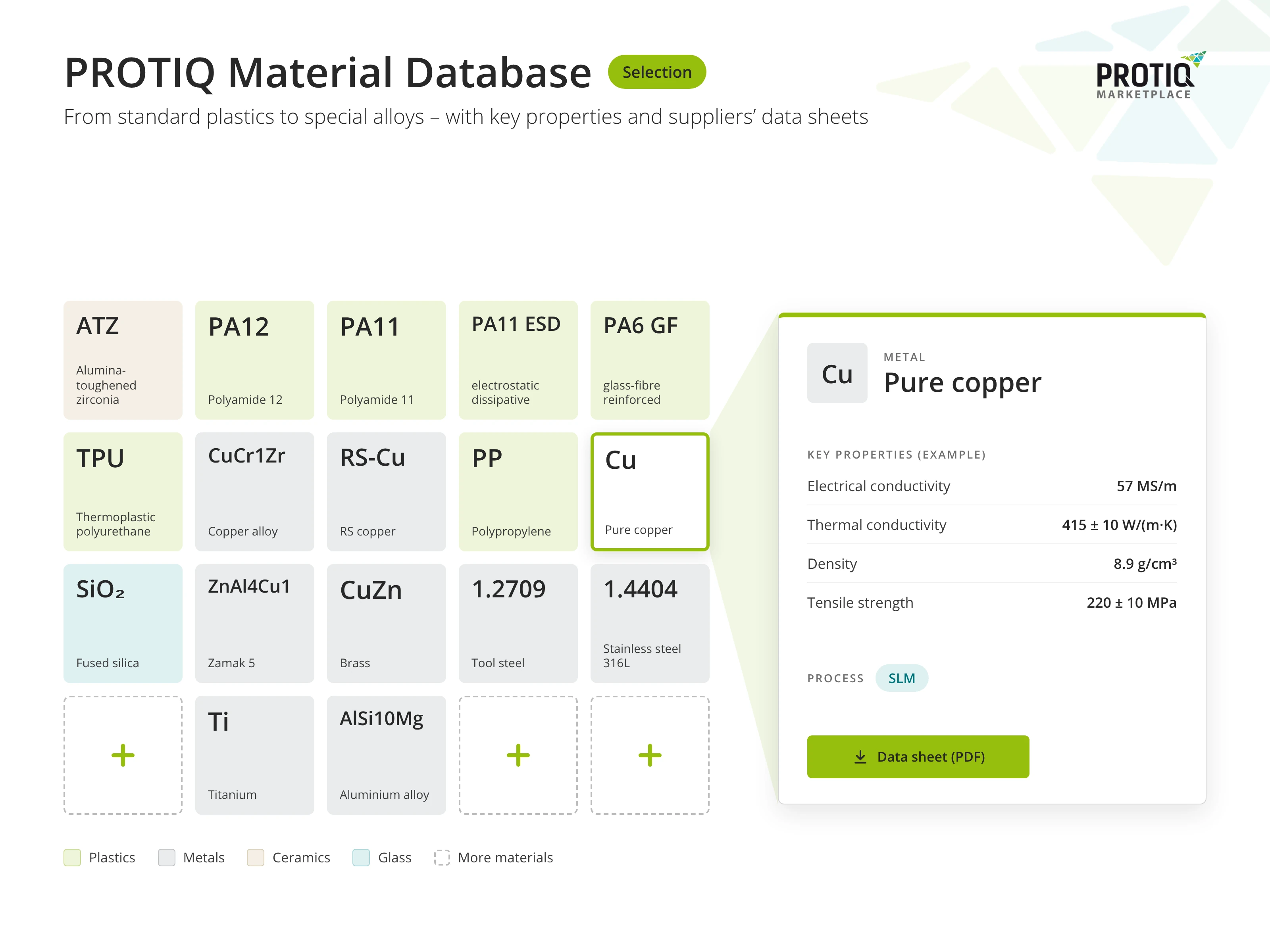
In the results list with the respective offer, provided the supplier has added a data sheet. In the download area you will also find overviews of the PROTIQ materials for individual processes.
Why can’t I find a suitable material?
Often the filter combination is too narrow. Remove individual filters or relax limits. If you still cannot find anything, please contact us – some materials are available on request.
Are the displayed properties guaranteed properties?
No. The properties serve as guidance for your selection. The supplier’s information in the ordering process or in the data sheet is authoritative.